EN
EN  ES
ES 

Table of contents
Schools, colleges, and universities are increasingly turning to digital signage to transform campus communication, enhance student engagement, and streamline operations. In 2026, education digital signage has evolved from simple digital bulletin boards into intelligent, networked communication platforms that connect every corner of campus â from lecture halls and libraries to student unions and administrative offices.
This guide covers the key use cases, hardware considerations, ROI metrics, and implementation best practices for education digital signage â whether you’re equipping a single K-12 school or a multi-building university campus.
Why Digital Signage in Education Is Growing in 2026
The education digital signage market is expanding rapidly, driven by several converging trends:
- Smart campus initiatives: Educational institutions worldwide are investing in smart campus infrastructure. Digital signage is a visible, high-impact component of these digital transformation efforts, serving as the communication backbone of the modern campus.
- Digital-native expectations: Today’s students grew up with smartphones, social media, and streaming content. Static bulletin boards and printed posters fail to capture their attention. Dynamic digital displays meet students where they are â visually, immediately, and engagingly.
- Centralized communication needs: Large campuses with thousands of students and hundreds of faculty face significant communication challenges. Digital signage provides a single, centrally managed platform for campus-wide messaging that ensures consistency and timeliness.
- Emergency notification: School safety is a top priority. Digital signage systems with emergency override capabilities can instantly display lockdown alerts, evacuation routes, and safety instructions across every screen on campus â a critical capability that static signage cannot match.
Key Use Cases for Education Digital Signage
1. Campus Wayfinding and Navigation
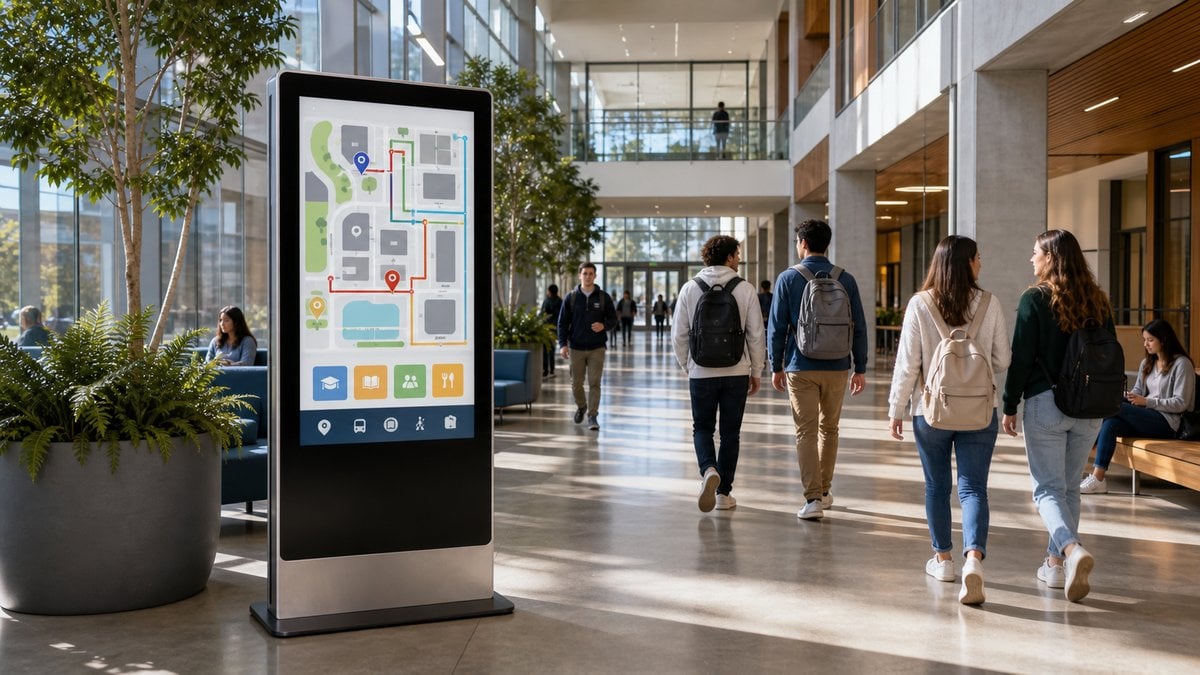
Large university campuses can be confusing for new students, visiting parents, and event attendees. Interactive wayfinding kiosks and directional digital signage at key intersections â building entrances, campus gates, and transit stops â help people navigate efficiently:
- Touchscreen campus maps with building, room, and department search
- Turn-by-turn walking directions to lecture halls, labs, dormitories, and cafeterias
- Event-specific navigation during orientation, open houses, commencement, and conferences
- Accessibility routing for visitors with mobility challenges
Schools report 35â50% fewer “lost visitor” inquiries after installing digital wayfinding, freeing front-desk staff for higher-value tasks.
2. Digital Bulletin Boards and Campus Announcements

Replace static corkboards and paper flyers with dynamic digital bulletin boards in high-traffic areas â student unions, dining halls, dormitory lobbies, and academic buildings. Content can include:
- Event calendars â upcoming lectures, club meetings, sports games, theatre performances
- Academic deadlines â registration dates, exam schedules, holiday breaks
- Student achievement highlights â dean’s list, scholarship recipients, athletic honors
- Campus job postings and internship opportunities
- Dining hall menus and hours of operation
- Student organization promotions and recruitment messages
3. Classroom and Lecture Hall Scheduling Displays
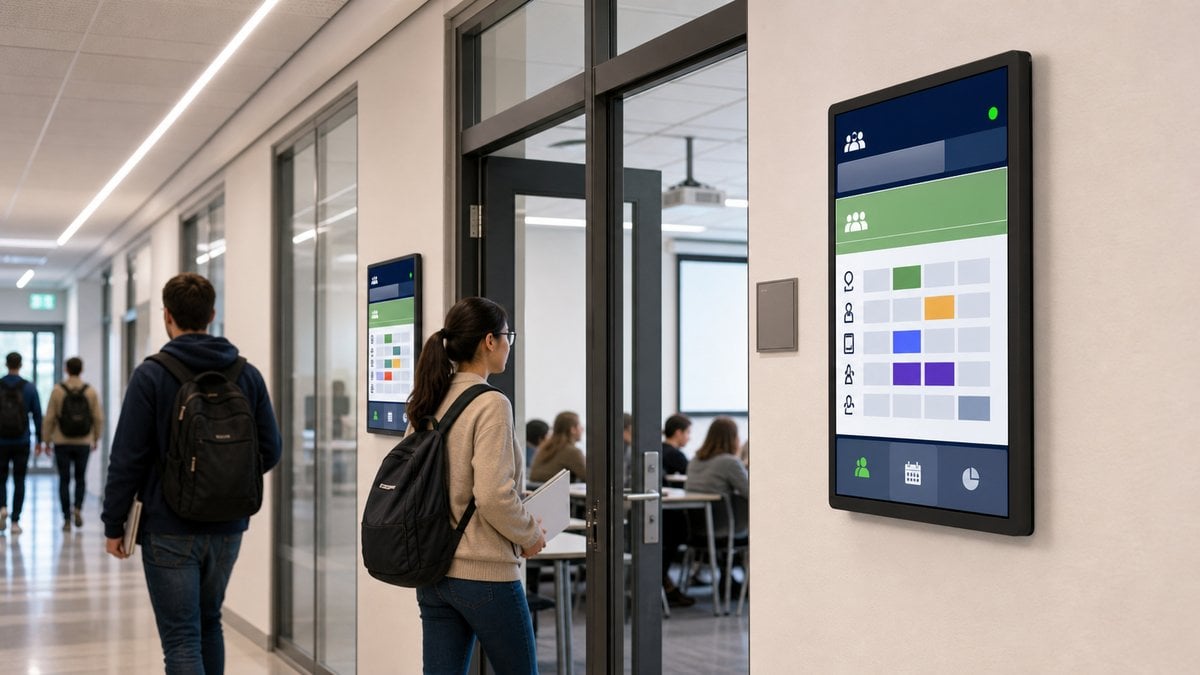
Door-mounted digital signage outside classrooms, lecture halls, and lab spaces shows real-time room schedules:
- Today’s class schedule with course names, instructors, and time slots
- Room availability status â “In Session,” “Available,” or “Reserved”
- Integration with academic scheduling systems for automatic updates
- QR codes for students to add events to personal calendars
4. Library and Resource Center Information

Modern academic libraries use digital signage to guide students and showcase resources:
- Study room availability displays showing which rooms are free or occupied
- New arrivals â recent book, journal, and media acquisitions
- Database tutorials, research guides, and citation workshops
- Quiet zone vs. collaborative zone indicators
- Digital displays at self-checkout stations for library orientation
5. Sports, Events, and Campus Culture
Student life is a critical part of the education experience. Digital signage enhances campus culture in athletic facilities, performing arts centers, and student hubs:
- Scoreboards and game-day content in gymnasiums and stadiums using large-format video walls
- Concession menu boards at campus dining and event venues
- Live social media walls displaying student posts with event hashtags
- Digital donor walls in alumni buildings and fundraising campaigns
6. Emergency Alert and Safety Communication
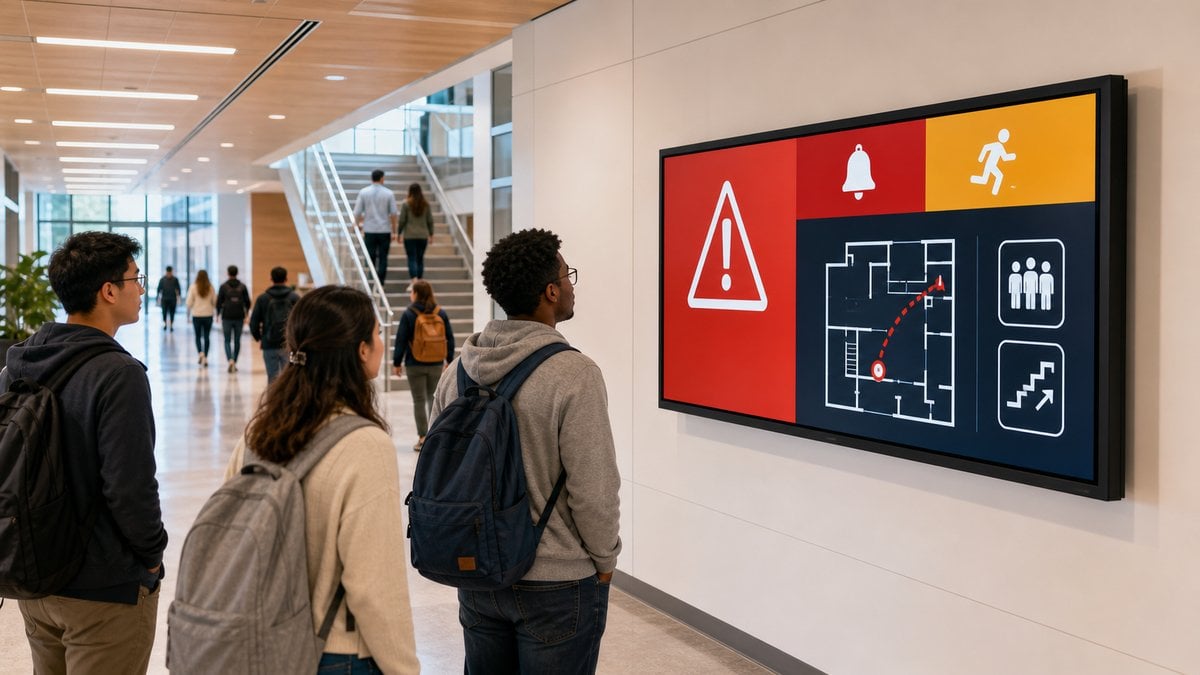
Perhaps the most critical use case. Digital signage integrated with emergency notification systems provides instant, campus-wide safety communication:
- Automated lockdown alerts triggered by the campus safety system
- Severe weather warnings with shelter-in-place instructions
- Evacuation maps and real-time safe route guidance
- All-clear notifications when the situation is resolved
Unlike loudspeaker-only systems, visual emergency alerts reach hearing-impaired students and remain visible even in noisy environments like cafeterias and gymnasiums.
Hardware Considerations for Education Environments
Educational settings have unique requirements that differ from corporate or retail deployments:
Durability and Vandalism Resistance
School and campus environments see heavy foot traffic, potential rough handling, and varied temperature conditions. Look for displays with robust enclosures, scratch-resistant screens, and tamper-proof mounting. For outdoor campus signage â building directories, event information at campus entrances â weatherproof outdoor-rated displays with IK10-rated glass and IP65-rated enclosures are essential.
Brightness and Viewing Angles
Classrooms, libraries, and student lounges typically have controlled lighting, making standard 500â700 nit commercial panels suitable. For displays near windows, in atriums, or in outdoor covered areas, high-brightness displays (2,500+ nits) ensure readability. Wide 178°/178° viewing angles are critical for spaces where students view screens from various positions â such as hallways, open study areas, and lecture hall lobbies.
Power Efficiency
Educational institutions are increasingly focused on sustainability and energy costs. Look for displays with automatic brightness sensors, scheduled power on/off, and low standby power consumption. Many schools deploy dozens or hundreds of screens â energy-efficient models can save thousands of dollars annually in electricity costs.
Mounting and Safety
Wall-mounted displays in schools must meet strict safety standards. Use professional-grade VESA mounts with security brackets to prevent theft and ensure stability. For high-traffic corridors, consider flush-mount solutions that minimize protrusion and reduce the risk of impact. MWE’s commercial-grade displays offer multiple mounting options suitable for educational environments.
Software and Content Management for Education
An effective education digital signage deployment requires a CMS that supports:- Multi-zone content scheduling: Different content for different campus zones â academic buildings, dorms, athletic facilities, administration â all managed from a single dashboard
- Role-based access: Allow department administrators, student clubs, and facility managers to control their own screen zones without interfering with campus-wide messaging
- Emergency override: Security personnel must be able to instantly override all screens with emergency alerts
- Integration with campus systems: Connect with scheduling software, learning management systems (LMS), and event calendars for automated content updates
- Remote device management: Monitor display health, push firmware updates, and troubleshoot across the entire campus network from a central dashboard
Measuring ROI for Education Digital Signage
While educational ROI includes intangible benefits like improved student experience, several metrics are measurable:
- Reduced printed material costs: Eliminating posters, flyers, and bulletin board paper saves $5,000â$20,000 annually per campus depending on size
- Improved event attendance: Campuses report 20â40% higher attendance at events promoted through digital signage versus printed posters alone
- Fewer administrative interruptions: Centralized digital communication reduces email overload and hallway interruptions for announcements, saving staff hours per week
- Faster emergency response: Digital signage reduces emergency notification time from minutes to seconds, potentially saving lives
- Student satisfaction scores: Universities with comprehensive digital signage strategies consistently score higher on campus communication satisfaction surveys
FAQ
What screen sizes work best for education settings?
It depends on the location. For hallways and student unions, 43â55-inch displays offer good visibility at typical walking distances. For classroom scheduling, 21â32-inch portrait-oriented displays are effective. For auditorium lobbies and campus entrance information, 65â86-inch large-format displays or video wall configurations create more impact.
Can students contribute content to digital signage?
Yes. Many education-focused content management systems support student-submitted content through moderated approval workflows â allowing student clubs, organizations, and departments to post their own announcements, event promotions, and achievements within designated content zones.
Do I need a dedicated IT team to manage campus digital signage?
Not necessarily. Cloud-based CMS platforms are designed for non-technical administrators. A single staff member can manage content across dozens or hundreds of screens. For hardware maintenance and network setup, initial installation support from an AV integrator is recommended. MWE’s RDM platform simplifies ongoing management with health monitoring and remote troubleshooting capabilities.
How do education digital signage systems handle summer breaks and holidays?
Modern CMS platforms support seasonal scheduling. Configure screens to display reduced-content modes or power-off schedules during breaks, and automatically resume full programming when the academic term begins. Automatic brightness adjustment and scheduled shutdown during unoccupied periods also extend display lifespan and reduce energy costs.
Ready to bring digital signage to your campus? Contact the MWE team for hardware recommendations, campus deployment planning, and integration guidance tailored to your educational institution.