EN
EN  IT
IT  ES
ES  FR
FR  DE
DE 
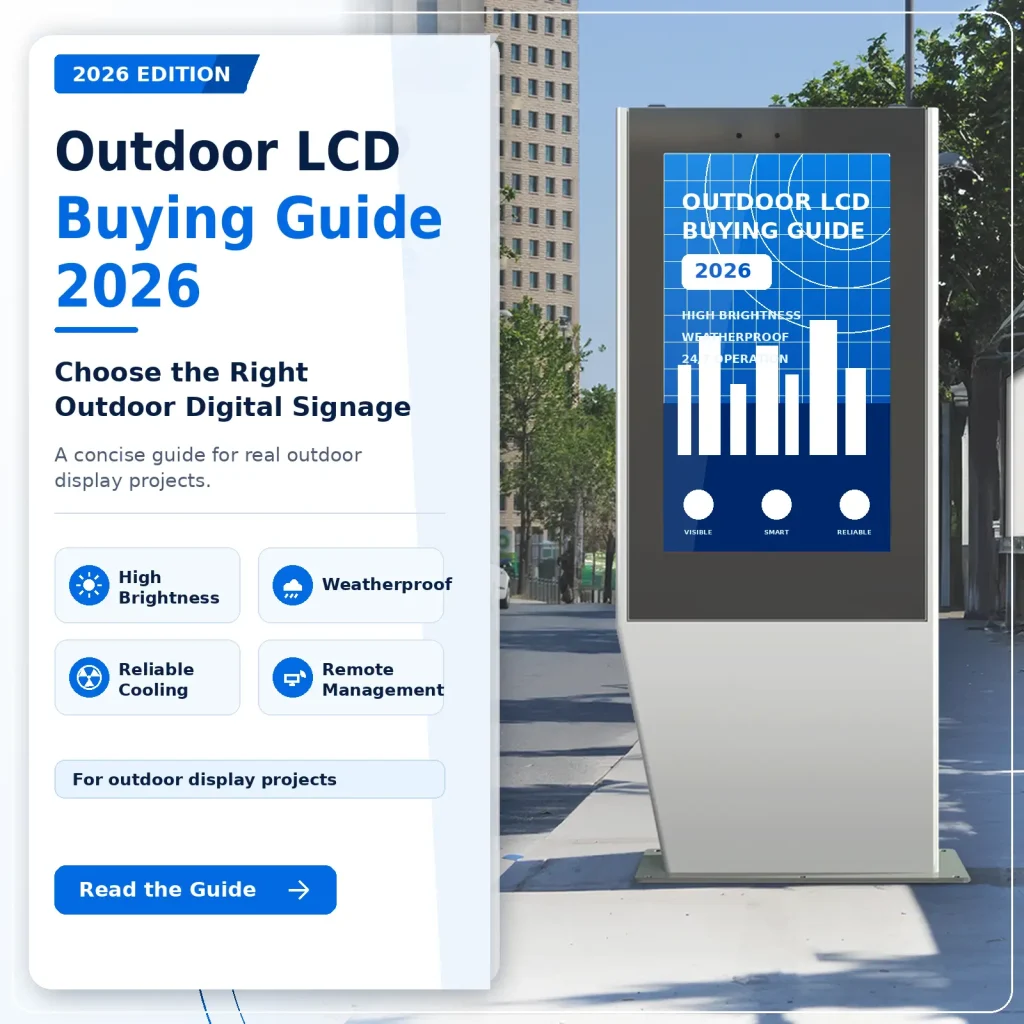
Outdoor LCD displays are no longer simple advertising screens. For retail, transportation, smart city, EV charging, QSR drive-thru, tourism, and DOOH networks, they are front-line business infrastructure. A good outdoor digital signage project can generate revenue, guide visitors, promote services, and reduce operating pressure. A poor choice can lead to black screens, overheating, water damage, expensive maintenance, and disappointed customers.
This buying guide explains how to choose the right outdoor LCD display before placing an order. It is written for distributors, system integrators, media operators, project contractors, and end users who need reliable outdoor screens for real projects.
Table of Contents
- Start With the Application Scenario
- Choose the Right Brightness
- Check the Weatherproof Rating
- Do Not Ignore Heat Dissipation
- Select the Right Size and Installation Type
- Consider Optical Bonding and Anti-Glare Glass
- Use Remote Monitoring for Outdoor Networks
- Plan CMS and Content Updates Early
- Ask About Customization and Integration
- Compare Total Cost, Not Only Unit Price
- Outdoor LCD Display RFQ Checklist
- Frequently Asked Questions
Start With the Application Scenario
The first mistake in outdoor display procurement is choosing a screen only by size and price. Outdoor projects are affected by sunlight direction, ambient temperature, rain, dust, wind, installation height, audience distance, power supply, network access, and maintenance conditions.
Before choosing a model, define the use case clearly:
- Street advertising and DOOH media networks
- Outdoor shopping mall directories
- Transportation hubs, bus stops, and metro entrances
- Tourist attractions and scenic area wayfinding
- EV charging station information screens
- Drive-thru menu boards for QSR restaurants
- Smart city kiosks and public information terminals
- Window-facing high-brightness displays
- Outdoor payment, ticketing, or interactive kiosks
A screen used in a covered semi-outdoor retail window does not need the same structure as a fully exposed roadside kiosk. A display installed in a desert climate needs different thermal management from one installed in a rainy coastal city. The best supplier should ask about your project environment before recommending a configuration.
Choose the Right Brightness
Brightness is one of the most important specifications for outdoor digital signage. Indoor commercial screens are usually 300-700 nits. In direct sunlight, that is not enough. The display may look dark, washed out, or completely unreadable.
For outdoor LCD projects, use this simple guideline:
| Environment | Recommended Brightness |
|---|---|
| Indoor or shaded indoor area | 300-700 nits |
| Bright window-facing area | 1000-2500 nits |
| Covered semi-outdoor area | 1500-2500 nits |
| Outdoor daylight, partial sunlight | 2500-3500 nits |
| Direct sunlight or high-impact DOOH | 3500-5000 nits |
MWE outdoor LCD digital signage solutions are designed for high-brightness outdoor visibility, with product configurations commonly covering 2500-5000 nits across different project requirements.
However, higher brightness is not always better by itself. It must work together with automatic brightness control, proper backlight design, anti-glare treatment, and heat dissipation. Otherwise, excessive brightness can increase power consumption and heat, shortening component life.
Check the Weatherproof Rating
Outdoor displays must resist rain, dust, humidity, wind, insects, and cleaning water. This is why IP rating matters.
Common ratings include:
- IP54: basic dust and splash protection, usually not enough for fully exposed outdoor signage.
- IP55: protection against dust and low-pressure water jets.
- IP65: dust-tight and protected against water jets, widely used for outdoor LCD digital signage.
- IP66: dust-tight and protected against stronger water jets, suitable for harsher outdoor conditions.
For most outdoor LCD display projects, IP65 is the practical baseline. For heavy rain, coastal environments, road cleaning water, high-pressure washdown, or demanding public-space projects, IP66 may be a better choice.
Also check impact protection. IK10-rated glass is often requested for outdoor kiosks, public transit stations, campuses, and unattended locations where accidental or intentional impact may occur.
Do Not Ignore Heat Dissipation
Heat is one of the biggest reasons outdoor LCD displays fail. Outdoor screens face heat from three sources:
- Ambient outdoor temperature
- Solar radiation on the glass and enclosure
- Internal heat from the backlight, power supply, player, and electronics
If the enclosure is poorly designed, the screen may suffer from black spots, color shift, backlight degradation, power failure, or repeated shutdowns.
When evaluating suppliers, ask about:
- Operating temperature range
- Cooling structure and airflow design
- Fan, heat exchanger, or air-conditioning options
- Separation between LCD panel, backlight, and power components
- Dust and humidity protection inside the thermal system
- Field maintenance access for cooling modules
- Alarm logic for high temperature or abnormal operation
For a small single display, thermal management is already important. For a network of outdoor digital kiosks, it becomes mission-critical because one failed screen can create service cost, advertising loss, and brand damage.
Select the Right Size and Installation Type
Outdoor LCD displays are commonly available from 32 inches to 86 inches, with project-based options for wall-mounted, freestanding, double-sided, integrated kiosk, bus shelter, EV charging, and drive-thru menu board applications.
Choose the size based on viewing distance and content type:
| Use Case | Common Size Range |
|---|---|
| Wayfinding or public information | 32-55 inches |
| Retail entrance or storefront advertising | 43-65 inches |
| Bus stop, street kiosk, smart city terminal | 55-75 inches |
| DOOH advertising and transportation hubs | 65-86 inches |
| Drive-thru menu board | 55-75 inches, single or multi-screen |
Installation type affects both design and maintenance. A wall-mounted outdoor LCD display saves space but requires a strong mounting surface and easy rear or front access. A freestanding outdoor totem has stronger visual impact but needs a stable base, internal ventilation, cable routing, and anti-theft design. A double-sided outdoor display can increase impressions, but requires stronger thermal planning because two panels create more heat inside the same cabinet.
Consider Optical Bonding and Anti-Glare Glass
Outdoor visibility is not only about brightness. Reflections, air gaps, condensation, and glare can reduce readability even when the display has a high nit rating.
Important optical options include:
- Anti-glare glass to reduce reflection
- UV protection to reduce long-term aging
- IR blocking to reduce solar heat
- Optical bonding to improve contrast and reduce internal reflection
- Polarized sunglasses support for outdoor viewing
- Automatic brightness adjustment for day and night operation
Optical bonding is especially useful for premium outdoor signage because it improves readability, reduces reflection, and helps protect the LCD module from moisture and dust intrusion.
Use Remote Monitoring for Outdoor Networks
When one screen is installed outside a store, manual checking may be possible. When 50, 200, or 1,000 displays are deployed across cities, manual checking becomes expensive and unreliable.
This is where remote monitoring becomes a major purchasing factor.
MWE outdoor digital signage can support OMC remote monitoring for outdoor LCD networks. Depending on project configuration, an OMC system can help operators monitor key device status such as temperature, humidity, brightness, door status, power, vibration, tilt, water, smoke, and other abnormal conditions.
The value of OMC is simple: it helps the operator know which screen needs attention before the customer or advertiser reports a problem.
For outdoor media networks and public information systems, remote monitoring can help with:
- Early fault detection
- Lower maintenance cost
- Faster troubleshooting
- Device grouping and batch management
- Real-time operating status
- Better uptime for advertising and service projects
When comparing suppliers, do not only ask whether the screen can show content. Ask whether the supplier can help you manage the screen after installation.
Plan CMS and Content Updates Early
Outdoor digital signage is useful only if content can be updated quickly. Before buying hardware, confirm the content management workflow:
- Will content be updated locally or remotely?
- Is the CMS cloud-based or server-based?
- Can different screens show different playlists?
- Can the system schedule content by time, location, or campaign?
- Does it support images, videos, scrolling text, split-screen layouts, or emergency notices?
- Can the customer host their own server if required?
- What happens if network connection is unstable?
For advertising networks, CMS flexibility affects campaign revenue. For transportation or smart city projects, CMS reliability affects public communication. For QSR and EV charging, CMS speed affects menu changes, promotions, pricing, and operational updates.
Ask About Customization and Integration
Many outdoor screen projects are not standard product purchases. They require OEM/ODM support, enclosure changes, color matching, logo branding, touch integration, camera integration, payment module integration, sensor options, special mounting, local certification, or customized software.
Ask the supplier:
- Can the enclosure be customized for the project?
- Can the display support touch or non-touch versions?
- Can the screen integrate with an existing CMS or API?
- Can the supplier provide RS232, TCP/IP, Android, Windows, or media-player options?
- Can the system support local language interfaces?
- Can packaging, voltage, plug type, and certification match the target market?
- Can the supplier provide drawings, installation guidance, and after-sales support?
For distributors and contractors, a flexible factory partner can reduce engineering risk and help win more project tenders.
Compare Total Cost, Not Only Unit Price
Outdoor LCD displays vary widely in price because the internal design can be very different. A low-cost outdoor screen may look attractive at the purchase stage, but hidden costs can appear later.
Total cost should include:
- Product price
- Shipping and packaging
- Installation structure
- Power consumption
- CMS or software cost
- Maintenance cost
- Spare parts cost
- Downtime cost
- On-site service cost
- Warranty and after-sales support
For example, a screen with better heat dissipation, remote monitoring, stable CMS, and easy service access may cost more initially, but it can save money across a multi-year outdoor advertising or public information project.
The right question is not “What is the cheapest outdoor display?” The better question is “Which outdoor display can run reliably in my environment with the lowest long-term operating risk?”
Outdoor LCD Display RFQ Checklist
Before requesting a quote, prepare the following information. It will help the supplier recommend the right configuration faster.
| RFQ Item | What to Provide |
|---|---|
| Installation country/city | Climate, temperature, rain, dust, coastal or inland |
| Application | Advertising, wayfinding, EV charging, bus stop, QSR, smart city |
| Installation type | Wall-mounted, freestanding, double-sided, embedded kiosk |
| Screen size | 32, 43, 55, 65, 75, 86 inches or custom |
| Brightness | 2500, 3000, 4000, 5000 nits |
| Weatherproof rating | IP65 or IP66 |
| Impact resistance | IK10 option if needed |
| Touch function | Touch or non-touch |
| Operating system | Android, Windows, external media player, custom board |
| CMS requirement | Cloud CMS, local server, third-party integration |
| Remote monitoring | OMC, sensor monitoring, fault alarm |
| Power and network | AC voltage, Wi-Fi, LAN, 4G/5G option |
| Certification | CE, FCC, RoHS, ISO, or local market requirements |
| Quantity and schedule | Sample, pilot project, bulk order, tender deadline |
Frequently Asked Questions
Can I use a normal TV outdoors?
No. A normal TV is not designed for direct sunlight, rain, dust, high temperature, low temperature, condensation, vandalism, or 24/7 operation. It may fail quickly and can create safety risks. Outdoor LCD digital signage uses high-brightness panels, weatherproof enclosure design, thermal management, and outdoor-rated components.
What brightness is best for outdoor LCD displays?
For most outdoor applications, 2500 nits is a practical starting point. For direct sunlight, DOOH advertising, EV charging stations, transportation hubs, and high-impact roadside locations, 3500-5000 nits may be needed. The final choice depends on sunlight exposure, viewing distance, content design, and installation angle.
Is IP65 enough for outdoor digital signage?
IP65 is suitable for many outdoor projects because it protects against dust and water jets. For harsher environments, heavy rain, high-pressure cleaning, or exposed public installations, IP66 may provide stronger protection. The enclosure design, sealing quality, cable entry, and thermal structure are just as important as the printed IP rating.
Why is remote monitoring important?
Outdoor displays are often installed far from the operator’s office. Remote monitoring helps identify abnormal temperature, power issues, door opening, humidity, tilt, vibration, and other problems. It reduces manual inspection, shortens response time, and protects advertising or public-service uptime.
What is the difference between CMS and OMC?
CMS is mainly for content management: uploading, scheduling, and publishing images, videos, or messages. OMC is mainly for operation and maintenance: monitoring the device status, detecting faults, and helping the operator manage display health. A professional outdoor signage network often needs both.
How long does an outdoor LCD display last?
The service life depends on panel quality, backlight design, brightness setting, thermal management, working hours, environment, and maintenance. A well-designed outdoor LCD display with proper heat dissipation and remote monitoring can provide more stable long-term operation than a low-cost display without outdoor engineering.
Conclusion: Buy for Reliability, Not Only for Specifications
Choosing an outdoor LCD display is a project decision, not just a product decision. Brightness, IP rating, thermal management, optical design, CMS, remote monitoring, installation, and after-sales support all affect the final result.
MWE (Marvel Technology) provides high-brightness outdoor LCD digital signage, outdoor kiosks, wall-mounted displays, freestanding totems, drive-thru menu boards, and customized OEM/ODM solutions for global projects. With 32-86 inch options, IP65/IP66 project configurations, CMS support, OMC remote monitoring, and outdoor engineering experience, MWE helps customers build outdoor display networks that are easier to operate and maintain.
If you are planning an outdoor LCD display project, send us your installation environment, size requirement, quantity, application scenario, and target market. Our engineering and sales team will help recommend the right configuration for your project.
Explore Outdoor Digital Signage
Contact MWE Display for a Project Quote
Buyers prioritizing sustainability can refer to our commercial display sustainability guide for green certification requirements and eco-friendly sourcing criteria.
For transportation hub projects, review our transportation display supplier guide before finalizing your procurement checklist.
Before choosing a supplier model, read our OEM vs white label vs brand guide to understand the trade-offs in customization, branding, and lead time.