FR
 EN
 IT
 ES
 DE


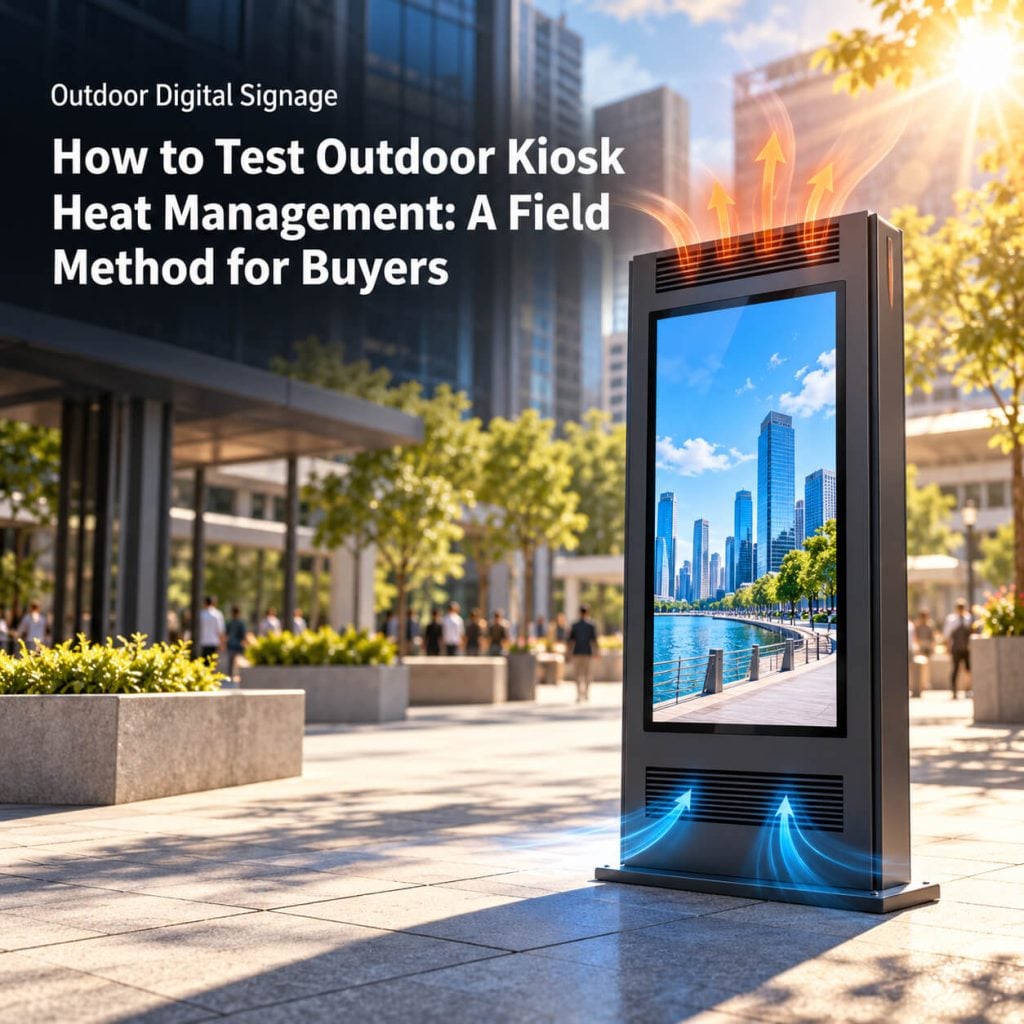
Heat is the number-one silent killer of outdoor digital signage. A kiosk that runs fine in a showroom can fail within weeks under direct summer sun — not because the panel is bad, but because the thermal management was never designed for real-world conditions.
This guide gives you a field method to evaluate outdoor kiosk heat management before you commit to a supplier. You don’t need a lab. You need the right questions, the right measurements, and the discipline to walk away from a display that can’t answer them.
Why Heat Management Matters More Than Brightness
Every outdoor display generates internal heat from three sources: the backlight, the electronics, and the sun. On a 35°C day with direct sunlight, the internal enclosure temperature can climb past 70°C if heat isn’t actively moved out. At those temperatures, LCD fluid degrades, solder joints stress, and the panel’s service life collapses from years to months.
High brightness itself makes the problem worse — a 2,500–4,000 nits panel (the range MWE builds) produces more backlight heat than an indoor 500-nit screen. That’s why brightness and cooling are two sides of the same design decision. You cannot spec one without the other.
The Field Method: 6 Checks You Can Run Yourself
1. Ask for the Thermal Design, Not Just a Fan Count
A supplier who says “we use fans” hasn’t answered the question. A proper thermal design specifies how heat is removed at the panel’s worst-case rating. Ask:
- What is the maximum rated operating temperature, and is it measured at the panel or the enclosure?
- Is cooling active (fans), passive (heat sinks/convection), or a closed-loop system?
- What happens at the trip point — does the screen throttle brightness, shut down, or keep running?
Look for suppliers who can describe a fail-safe behavior. For example, a well-designed system auto-shuts down at a defined temperature threshold (MWE’s remote management triggers auto-shutdown at 65°C) rather than cooking itself to death.
2. Check for Temperature Sensors, Not Assumptions
A display that can’t tell you its own temperature can’t protect itself. Ask whether the unit ships with embedded sensors that monitor internal temperature, and whether that data is logged and remotely accessible.
This is where the hardware and software sides of heat management meet. A unit with a remote monitoring system tracks temperature history over time — so you can see temperature spikes in the logs, not just a binary “working / not working” status. MWE’s OMC remote monitoring tracks over 12 sensor parameters, including temperature, humidity, smoke, tilt, and door access.
3. Demand a Soak Test in Real Sun, Not a Climate Chamber Number
Climate chambers are useful but they don’t reproduce solar loading — the sun hitting a black enclosure at a specific angle. Ask the supplier:
- Has this model been tested under direct sunlight, or only in a controlled chamber?
- Can they share temperature-rise data (internal temperature vs. ambient) from a real deployment?
- What was the ambient temperature during the test, and for how long?
Beware of a supplier who cites only an IP rating as proof of thermal performance. IP65/IP66 measures ingress protection (dust and water), not heat management. A sealed IP66 box with no cooling is actually worse — it traps heat.
4. Verify the Cooling Has Redundancy and Control
Fans fail. That’s not a flaw, it’s a fact of moving parts. The question is what happens when one does. Ask:
- Are fans speed-controlled (PWM) based on temperature, or always-on?
- Is there a heater for cold climates, and does it cycle with the cooling?
- Can the operator remotely adjust fan speed or toggle the heater?
Speed-controlled (PWM) fans last longer and run quieter at night. Remote control means a technician can respond to a heat alert without a truck roll.
5. Look at the Warranty Language Around Heat
The warranty is a heat-management document in disguise. A supplier confident in their thermal design offers 3-year coverage that doesn’t quietly exclude “ambient temperatures above 30°C.” Read the exclusions. If the warranty voids at realistic summer temperatures, the manufacturer is telling you they don’t trust their own cooling.
6. Run a Common-Sense Visual Audit
Open the enclosure (or ask for photos) and check:
- Are air paths clean and unobstructed, or is the fan buried behind cables?
- Are heat-generating components (power supply, media player) isolated from the panel?
- Are intake filters present, and are they accessible for cleaning?
A unit that’s hard to clean is a unit that will overheat on schedule — dust builds up, airflow drops, and the “reliable” display dies in year two.
Red Flags That Signal Cooling Failure Before You Buy
- No maximum operating temperature published anywhere
- IP rating cited as proof of thermal performance
- “Always-on” fans with no speed control or temperature feedback
- No sensors, no logging, no remote temperature visibility
- Warranty that excludes realistic outdoor temperatures
- No heater option for cold-climate deployments
The Buyer’s Takeaway
Outdoor kiosk heat management isn’t a spec line — it’s a system. The suppliers worth your money can describe how heat leaves the enclosure, how the unit protects itself at the trip point, and how you’ll see that data remotely. If they can’t, the brightness number on the datasheet won’t save you.
MWE builds outdoor displays with active thermal management, embedded multi-sensor monitoring, and a remote management system that logs temperature history and auto-shuts down at 65°C — because a display that survives its first summer is the only kind worth deploying. Contact our engineers to discuss your specific climate conditions and see how we validate heat management on every outdoor model.
Questions fréquemment posées
How do I test an outdoor kiosk’s cooling before buying?
Run the unit at maximum brightness inside a 50 to 60 C heat chamber, or simulate with a heat blanket, log internal air and surface temperatures over 4 to 8 hours, and confirm the display stays within its rated operating range.
What internal temperature is safe for an outdoor kiosk?
Keep the enclosure’s internal air below about 45 to 50 C and the panel within its spec, often up to 50 to 60 C. Active fans or air-conditioning should hold this even under peak sun.
What are red flags of poor heat management?
Frequent auto-shutdowns, dimming in sunlight, condensation inside the glass, and hot-to-touch enclosures signal inadequate cooling and shortened component life.