DE
DE  EN
EN  IT
IT  ES
ES  FR
FR 
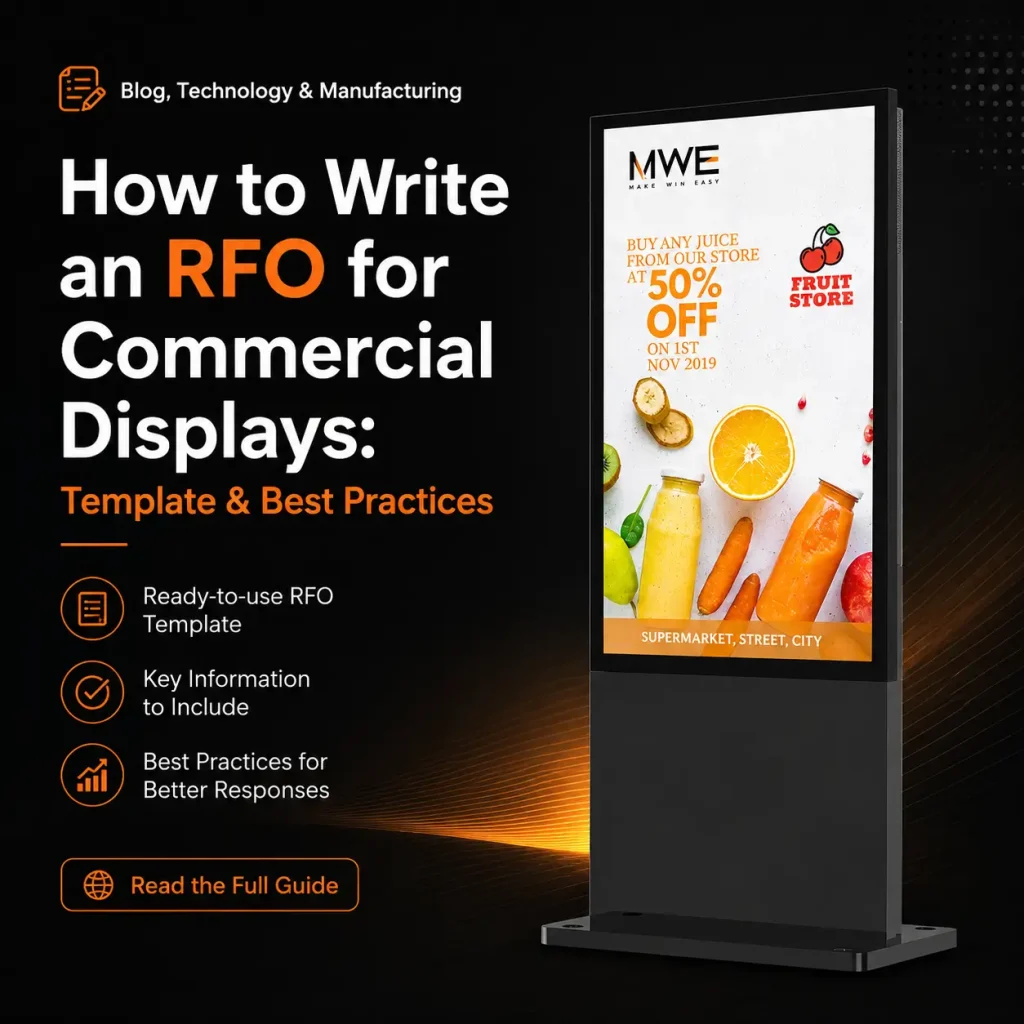
How to Write an RFQ for Commercial Displays: Template & Best Practices
Quick Answer: A professional RFQ needs seven elements. Missing any one of them leads to quotes you can’t compare –or worse. Products you can’t deploy.
Seven RFQ essentials: 1. In practice, Project overview –application, environment, end-user context (helps suppliers catch issues you missed) 2. Technical spec sheet –size, resolution, sustained brightness (not peak), IP rating, IK rating, operating temp, touch tech, OS, connectivity, power, mounting 3. Quantity & delivery schedule –single shipment or phased rollout 4. Timeline –RFQ deadline (7–10 business days), sample date, delivery date 5. Budget range –optional but filters out-of-range responses 6. Compliance –exact certs per target market (CE, FCC, RoHS, UL) 7. Commercial terms –Incoterm, payment terms, warranty, spare parts
Four most expensive RFQ mistakes: – Vague specs → wildly different quotes, impossible to. Compare – Missing use-case context → supplier can’t flag environment-specific issues – No compliance info → risk of importing non-certified products – Confusing sustained vs. peak brightness → displays that appear bright enough but dim within minutes
Quote evaluation formula: Calculate total landed cost (see our 5-year TCO model for the full cost framework) (unit + freight + duties + CMS + warranty). For example, Score on weighted criteria –price alone is a trap.
Definition: RFQ (Request for Quote) is a formal procurement document. Used when a buyer knows exactly what product they need and requests pricing from multiple suppliers. It differs from an RFP (Request for Proposal) in that the RFQ focuses on specific predefined specifications and pricing. While an RFP is more open-ended, asking suppliers to propose solutions.
Introduction: Why 90% of RFQs Get Bad Quotes
Most procurement professionals have experienced the frustration of sending out an RFQ and receiving quotes that are impossible to compare. One supplier quotes a 350-nit panel when you needed 2,500 nits. Another includes a CMS license that others charge separately for. A third omits freight entirely, making their “low price”. Misleading.
The problem isn’t the suppliers –it’s the RFQ itself. Industry analysis suggests that 90% of commercial display RFQs are so vague or incomplete that suppliers must make assumptions leading to quotes that don’t reflect the buyer’s actual requirements .
A well-structured RFQ for commercial displays eliminates ambiguity, forces suppliers to quote comparable configurations, and Dramatically improves the quality of responses you receive. This guide provides a complete framework –including a downloadable template. A real-world sample RFQ evaluation criteria –so you can write RFQs that get accurate, competitive, and Actionable quotes.
Inhaltsverzeichnis
- Essential RFQ Components
- Spec Sheet Template
- Common RFQ Mistakes to Avoid
- Sample RFQ: 20-Unit Outdoor Kiosk Project
- How to Evaluate Quotes
- Follow-Up Strategy After Receiving Quotes
- Häufig gestellte Fragen
- Schlussfolgerung
Essential RFQ Components
Every commercial display RFQ should include these seven elements. Omitting any of them gives suppliers room to make assumptions that work against you.
1. Project Overview
A brief paragraph (3– Sentences) describing the application, deployment environment, and end-user. this context helps engineers recommend the right product and identify potential issues you may not have considered.
Example: “We are deploying 20 outdoor interactive kiosks across a university campus for wayfinding, event information, and Emergency alerts. Displays must be readable in direct sunlight and operable in temperatures ranging from -10°C to 45°C.”
2. Technical Specifications
The core of your RFQ. Take a detailed spec sheet (template below) covering every parameter that affects performance, compatibility, and Price.If a spec matters to your project, it must be in the RFQ –not left for the supplier to guess.
3. Quantity and Delivery Schedule
State the total order quantity and whether delivery will be single shipment or phased. If phased, specify the delivery dates and quantities for each phase. This affects production scheduling and may unlock volume-based pricing.
4. Timeline
Include:
- RFQ response deadline (7–10 business days is standard)
- Target sample delivery date (if applicable)
- Target production completion date
- Target delivery date to your warehouse
5. Budget Range (Optional but Recommended)
Many buyers withhold budget to “avoid being anchored.” But providing a realistic budget range helps suppliers recommend the best-fit model within your constraints. In practice, if your budget is $1,500/unit and suppliers quote $3,500 units. Everyone wastes time. State:“Budget range: $1,200–1,800 per unit FOB. Quotes outside this range will still be considered if justified by superior value.”
6. Compliance Requirements
List the specific certifications required for your target market. Don’t just write “CE certified”. –specify thedirectives (EMC, LVD) and request test reports, not just certificates. See our certifications guide for a complete list by market.
7. Commercial Terms
- Incoterm: FOB Shenzhen, CIF, DDP, etc.
- Payment terms: 30% T/T deposit + 70% before shipment, L/C, etc.
- Warranty: Minimum 2 years; specify whether on-site or return-to-base
- Spare parts: Request 1–3% free spare parts for bulk orders
Spec Sheet Template
Use this standardized spec sheet in every RFQ to ensure all suppliers quote the same configuration:
| Category | Spezifikation | Your Requirement |
| Display | Bildschirmgröße | _____ inches |
| Panel type | LCD / OLED / LED | |
| Auflösung | 1920×1080 / 3840×2160 / other | |
| Helligkeit | _____ nits (sustained, not peak) | |
| Kontrastverhältnis | _____ : 1 | |
| Viewing angle | _____° (H/V) | |
| Bezel width | _____ mm | |
| Umwelt | IP rating | IP54 / IP65 / IP66 |
| IK rating | IK08 / IK10 | |
| Operating temp | -___°C to +___°C | |
| Humidity | 0–100% RH | |
| Touch | Touch technology | IR / PCAP / None |
| Touch points | _____ | |
| System | OS | Android / Windows / Linux / None |
| CPU/RAM | _____ / _____ | |
| Storage | _____ GB | |
| Connectivity | Ports | HDMI, USB, RJ45, RS232, Wi-Fi, 4G |
| Network management | SNMP / RDM / OMC | |
| Macht | Power supply | 100–240V AC / PoE / DC |
| Power consumption (max) | _____ W | |
| Power consumption (standby) | _____ W | |
| Mechanical | Mounting | Wall / Floor / Ceiling / Kiosk |
| Orientation | Landscape / Portrait / Both | |
| Dimensions (W×H×D) | _____ × _____ × _____ mm | |
| Gewicht | _____ kg | |
| Zertifizierung | Required | CE / FCC / RoHS / UL / Other |
| Individualisierung | Logo on bezel | Yes / No |
| Custom packaging | Yes / No | |
| Pre-installed content | Yes / No |
Common RFQ Mistakes to Avoid
Mistake 1: Vague Specifications
Bad: “We need a 55-inch outdoor display.”
Good: “55-inch LCD, 3840×2160 resolution, 2,500 nits sustained brightness, IP65 rated, operating temperature -20°C to +50°C.”
Vague specs lead to quotes ranging from $800 to $4,000 –because suppliers quote different products. The result is hours of wasted time clarifying and re-quoting.
Mistake 2: Missing Use Case Description
Without knowing where and how the display will be used, suppliers can’t flag potential issues. For example, A display destined for a coastal environment needs salt-spray resistance. A display in a transit hub needs vandal-proof IK10 glass. Share the use case –it leads to better recommendations and fewer field failures.
Mistake 3: No Compliance Information
If you’re importing into the EU, you must have CE and RoHS. If you’re shipping to the US. You need FCC. Stating these requirements upfront ensures you don’t receive quotes for products that can’t legally enter your market. It also filters out suppliers who can’t provide proper documentation.
Mistake 4: Unrealistic Budget Expectations
Requesting a “3,500-nit IP66 outdoor display at $500/unit”. Signals to experienced suppliers that you don’t understand the market. They may eitherignore your RFQ or quote a product that doesn’t actually meet your specs. Research realistic price ranges using our wholesale pricing guide before finalizing your budget.
Mistake 5: Ignoring Software and Management
Many buyers focus entirely on hardware and forget to specify CMS/RDM requirements. This leads to discovering post-purchase that the “free CMS” is too basic playlists, or that remote diagnostics require a $20/month subscription. Specify your content management and remote management needs in the RFQ.
Mistake 6: Not Specifying Sustained vs. Peak Brightness
Some manufacturers quote peak brightness (achievable for minutes) rather than sustained brightness(continuous operation). Always specify “sustained brightness”. In your RFQ and Request test data proving the display maintains the rated brightness over 8+ hours of continuous operation.
Sample RFQ: 20-Unit Outdoor Kiosk Project
Below is a complete sample RFQ for a real-world project. For example, Use this as a reference model for your own RFQs.
RFQ Reference: MWE-RFQ-2026-001
Date: January 15, 2026
Project: University Campus Wayfinding Kiosks
RFQ Response Deadline: January 25, 2026
Projektübersicht
We are procuring 20 outdoor interactive kiosks for a university campus wayfinding and information system. the kiosks will be installed in uncovered outdoor locations across campus, exposed to direct sunlight, rain temperatures ranging from -10°C to 45°C. Displays must be sunlight-readable, touch-responsive in all weather conditions, and Remotely manageable via a central CMS.
Technical Specifications
| Spec | Requirement |
| Bildschirmgröße | 55 inches |
| Auflösung | 3840 × 2160 (4K UHD) |
| Helligkeit | 2,500 nits sustained (minimum) |
| Panel type | LCD with LED backlight |
| Touch | Infrared (IR), 10-point multi-touch |
| IP rating | IP65 (front and rear) |
| IK rating | IK10 (vandal-resistant glass) |
| Operating temp | -20°C to +50°C |
| OS | Android 11+ with 4GB RAM, 32GB storage |
| Connectivity | Wi-Fi 6, RJ45, USB 3.0 × 2, RS232, 4G SIM slot |
| CMS/RDM | Cloud-based remote management with health monitoring |
| Mounting | Freestanding kiosk, portrait orientation |
| Height | 1,800–2,000mm total kiosk height |
| Macht | 100–240V AC, auto-brightness sensor |
| Max power consumption | <350W |
Compliance Requirements
- CE (EMC + LVD directives)
- RoHS compliance
- FCC Class A (for potential US deployment)
- IP65 test report from accredited lab
- All certificates must include test reports, not just certificate copies
Quantity and Delivery
- Total quantity: 20 units
- Delivery: Single shipment
- Target delivery date: March 15, 2026
- Delivery terms: DDP to our warehouse in Sydney, Australia
Commercial Terms
- Payment: 30% T/T deposit + 70% after QC inspection (pre-shipment)
- Warranty: 3 years (including remote support and free spare parts for year 1)
- Spare parts: 2% free spare parts (minimum: 1 power supply, 1 driver board)
- QC inspection: Third-party inspection required before shipment; supplier to arrange access
Quote Response Format
Please provide your quote in the following format:
- Unit price (DDP Sydney, AUD)
- Total order value
- Itemized cost breakdown (hardware, customization, packaging, freight, duties)
- Lead time (production + shipping)
- Warranty terms and coverage details
- CMS/RDM pricing (if not included)
- Certificate copies and test reports
- Reference installations (similar projects in Australia or similar climate)
How to Evaluate Quotes
Receiving quotes is only half the battle. Evaluating them correctly ensures you select the supplier offering the besttotal value, not just the lowest price.
Step 1: Normalize for Specifications
Verify that every quote meets all your specifications. Flag any deviations and request revised quotes. Take a supplier quoting a 2,000-nit display when you specified 2,500 nits is not offering a lower price –they’re offering a different product.
Step 2: Calculate Total Landed Cost
Add all cost components to get a true comparison:
| Cost Component | Supplier A | Supplier B | Supplier C |
| Unit price (FOB) | $1,800 | $1,650 | $1,950 |
| × Quantity (20) | $36,000 | $33,000 | $39,000 |
| Freight + insurance | $2,200 | $2,200 | $2,200 |
| Customs duties + VAT | $5,040 | $4,620 | $5,460 |
| CMS (3 years) | $0 (included) | $1,440 (\$20/mo × 20 × 36 mo) | $0 (included) |
| Extended warranty (yr 3) | $0 (3yr included) | $660 (2% of $33,000) | $0 (3yr included) |
| Total landed cost | $43,240 | $41,920 | $46,660 |
Supplier B looked cheapest at $1,650/unit –but after adding CMS. Warranty costs Supplier A is actually the better value at only $1,320 more for superior included features.
Step 3: Evaluate Non-Price Factors
| Faktor | Why It Matters |
| Warranty length | Each additional year saves 3–5% of hardware cost in expected repairs |
| CMS inclusion | $10–30/month per screen adds up fast over 3–5 years |
| Vorlaufzeit | A 2-week delay can impact your project deployment timeline |
| Communication quality | Responsive, detailed quotes signal good post-sale support |
| Reference projects | Proven experience in similar deployments reduces risk |
| Spare parts availability | Critical for long-term maintenance –ask for 5-year commitment |
Step 4: Score and Rank
Assign weights to each factor based on your priorities:
| Faktor | Gewicht | Supplier A | Supplier B | Supplier C |
| Total landed cost (30%) | 30% | 8/10 | 9/10 | 6/10 |
| Warranty terms (20%) | 20% | 9/10 | 6/10 | 9/10 |
| CMS/RDM (15%) | 15% | 9/10 | 4/10 | 9/10 |
| Lead time (10%) | 10% | 8/10 | 7/10 | 8/10 |
| Certifications (10%) | 10% | 9/10 | 7/10 | 9/10 |
| References (10%) | 10% | 8/10 | 6/10 | 7/10 |
| Communication (5%) | 5% | 9/10 | 6/10 | 7/10 |
| Weighted Score | 8.5 | 7.0 | 7.7 |
In this example, Supplier A wins despite not having the lowest unit price –because their included CMS. Longer warranty strong communication deliver superior total value.
Follow-Up Strategy After Receiving Quotes
Don’t accept the first quote at face value. A structured follow-up process can improve pricing and clarify terms.
Questions to Ask Every Supplier
- “Is this your best price for this quantity? What price would apply at 2× the quantity?”
- “Can you itemize the cost breakdown –hardware, customization, packaging, freight?”
- “What is the CMS/RDM pricing structure? Is it included or separate?”
- “Can you provide the sustained brightness test report for this model?”
- “What is your spare parts availability commitment –how many years will parts be available?”
- “Can you share references from customers in [your country/region]?”
- “What is the typical failure rate for this model in outdoor deployments?”
- “Do you offer a gold sample before mass production?”
Negotiation Levers
If your preferred supplier’s price is higher than a competitor’s:
- Share the competitor’s quote (without revealing the competitor’s name) and ask if they can match or explain the difference
- Offer to increase quantity, extend the payment terms, or Provide flexible delivery dates in exchange for a price reduction
- Ask about stock clearance oder discontinued models that meet your specs at a discount
- Request that CMS or extended warranty be included at no charge instead of negotiating the unit price directly
Red Flags That Warrant Eliminating a Supplier
- Reluctance to provide test reports or certificate copies
- Quotes that are 30%+ below market average (likely cutting corners on components)
- Poor communication during the quoting process (slow responses, incomplete answers)
- No export experience to your target market
- Unwillingness to accept third-party QC inspection
Häufig gestellte Fragen
Q1: How many suppliers should I send my RFQ to?
Send your RFQ to 3–5 qualified suppliers. Fewer than 3 limits your comparison. More than 5 creates excessive evaluation work without improving the quality of your decision. Ensure all suppliers are pre-vetted for manufacturing capability and export experience.
Q2: How long should I give suppliers to respond to an RFQ?
7–10 business days is standard for commercial display RFQs. In practice, for complex customized projects (OEM/ODM). Allow 10–4 days. If you need faster responses, let suppliers know the deadline is tight –some will prioritize urgent RFQs.
Q3: Should I reveal my budget in the RFQ?
Yes –providing a realistic budget range saves time for both parties. Typically, it helps suppliers recommend the best product within your constraints and prevents quotes that are far outside your range. Frame it as a range, not a fixed number, to maintain negotiation flexibility.
Q4: What’s the difference between an RFQ and an RFP?
Ein RFQ (Request for Quote) iss when you know exactly what you want and need pricing –it focuses on specifications and cost. An RFP (Request for Proposal) is when. You need the supplier to propose a solution –it’s more open-ended and includes design, approach, and Methodology. For standard commercial display purchases, use an RFQ.
Q5: How do I handle suppliers who quote a different product than what I specified?
If a supplier quotes a different specification, ask them to explain why. Sometimes suppliers recommend alternatives that genuinely serve your needs better or more cost-effectively. However, if the alternative doesn’t meet your requirements, request a revised quote for the exact specification. If they can’t provide it, eliminate them from consideration.
Q6: What is the single most important element of an RFQ?
Der standardized spec sheet is the most critical element. Without it, you cannot compare quotes from different suppliers. A well-designed spec sheet forces all suppliers to quote the same configuration, enabling apples-to-apples comparison.
Q7: Should I include a penalty clause in my RFQ terms?
No –penalty clauses belong in the purchase contract, not the RFQ. The RFQ is for requesting pricing and capability information. Once you select a supplier and negotiate final terms, include delay penalties (typically 0.5% per week, capped at 5%) in the formal sales contract.
Schlussfolgerung
Need help drafting your RFQ? Send us your project details and our engineers will help you finalize a specification package before you approach suppliers.
id=”conclusion”>
A well-written RFQ is the foundation of a successful commercial display procurement. For example, By specifying detailed technical requirements, providing clear use-case context, stating compliance needs upfront using a standardized spec sheet. You eliminate the ambiguity that leads to incomparable quotes and costly surprises.
Key takeaways:
- Be specific –every parameter that matters to your project must be in the RFQ
- Use a standardized spec sheet so all suppliers quote the same configuration
- Evaluate total landed cost, not just unit price –CMS, warranty, and freight can swing the comparison
- Score quotes on weighted criteria to make objective, defensible procurement decisions
- Follow up with structured questions –the quoting process is a negotiation, not a one-way street
- Watch for red flags –suppliers who can’t provide documentation or who quote suspiciously low prices will cost you more in the long run
Wichtigste Erkenntnisse
- A detailed RFQ is the cheapest insurance against incomparable quotes and costly surprises.
- Standardize the spec sheet so every supplier quotes the same configuration.
- Evaluate total landed cost — CMS, warranty, and freight swing the comparison.
- Score quotes on weighted criteria for objective, defensible decisions.
- Treat quoting as a negotiation: follow up with structured questions and watch for red flags.
Explore the full Outdoor Digital Signage Buyer’s Guide Hub for more buying guidance across procurement, applications, and market trends.